
Paint silky ribbons with Silk strands
Turn on Silk strands in the Brush options to paint a twisting ribbon of fine strands in one drag, for smoke, hair-like wisps and light trails.
Silk strands is a Brush option that turns one drag into a ribbon of fine, parallel strands that twist around your stroke and taper at both ends. It is good for silky smoke, wisps of hair, light trails and decorative flourishes.
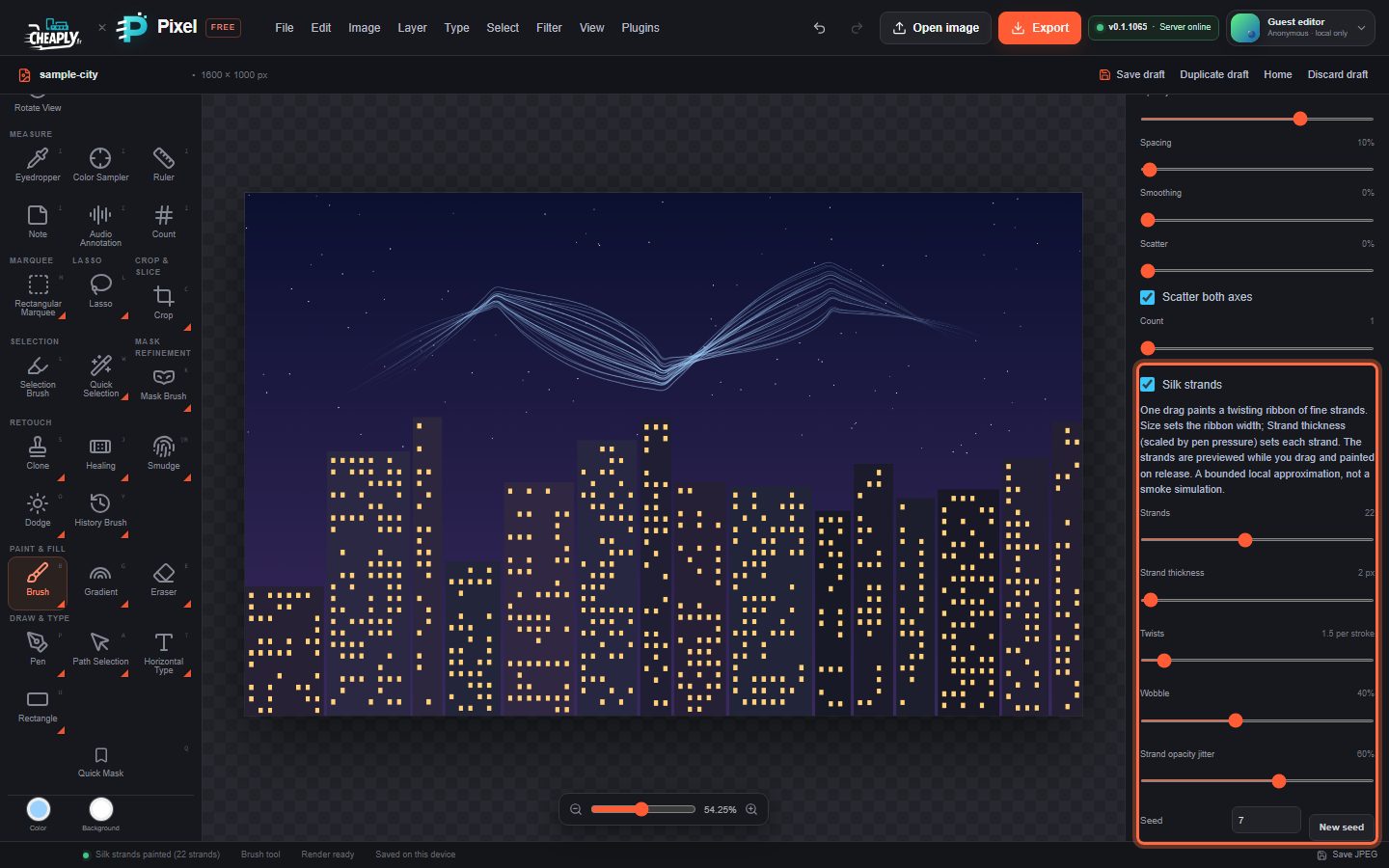
#Paint with Silk strands
- Choose the Brush (B).
- In Tool options, tick Silk strands, or choose Silk smoke in Saved brush preset for a ready-made look.
- Set Size: it is the full width of the ribbon.
- Drag a long, curving stroke. A preview of the strands follows the pointer; the strands are painted when you release.
A click without dragging paints nothing.
#Options
| Option | Range | What it does |
|---|---|---|
| Strands | 1–48 | Number of strands across the ribbon. |
| Strand thickness | 0.5–100 px | Line width of each strand. With Pressure affects size, pen pressure scales it. |
| Twists | 0–20 per stroke | How many full turns the ribbon makes over the whole stroke. The strands cross each other where it twists. |
| Wobble | 0–100% | A gentle wandering of each strand, for a looser, more organic look. |
| Strand opacity jitter | 0–100% | Makes some strands fainter than others. |
| Seed | 0–99,999 | Chooses the random-looking variation. The same seed and stroke always give the same strands; New seed picks another. |
Opacity, Flow, the brush Mode, the foreground colour, pressure options, Paint symmetry and selections all apply to the strands. Hardness, Spacing, Scatter, Count, jitter, texture and the other tip effects do not.
#Good to know
- Silk strands is available for the Brush only, not the Pencil or Eraser.
- The settings are saved with brush presets, your draft and project files.
- Each ribbon is one undo step.
- It is a drawing aid that builds smooth curves from your stroke. It is not a smoke or fluid simulation.
Still stuck? See Troubleshooting or report a problem.