
Lighten, darken and change saturation with Dodge, Burn and Sponge
Brush light and shadow into an image with Dodge and Burn, targeting shadows, midtones or highlights, and saturate or desaturate areas with the Sponge.
Dodge, Burn and Sponge are toning brushes. Dodge lightens, Burn darkens and Sponge raises or lowers colour saturation where you paint. They share one toolbar button in the Retouch group; press O to cycle through them (Shift+O cycles backwards).
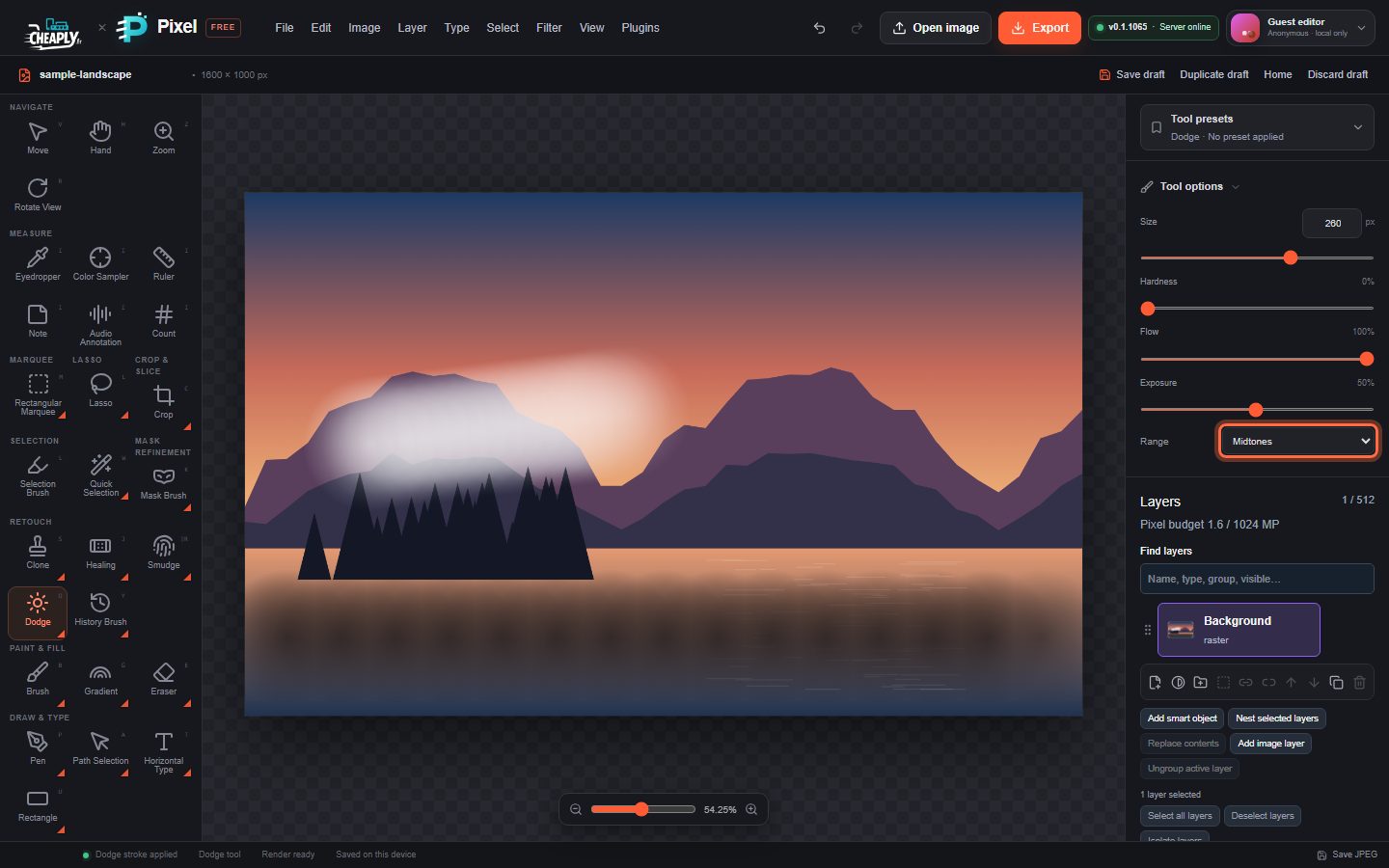
#Dodge or burn an area
- Choose Dodge or Burn (O).
- Set Size and a low Hardness for gradual edges.
- Choose a Range: Shadows, Midtones (default) or Highlights. The tool affects pixels in that tonal range most.
- Set Exposure to control how strong each stroke is. Start low (10–20%) and build up with several strokes.
- Paint over the area.
| Option | What it does |
|---|---|
| Exposure | Strength of the lightening or darkening (default 50%). |
| Flow | Scales how much each part of the stroke applies. |
| Range | Which tones are affected most. |
Dodge moves colours towards white and Burn towards black. Transparency is never changed.
#Sponge
- Choose Sponge (O until it is selected).
- Choose a Mode: Saturate or Desaturate.
- Set Vibrance (the strength) and Flow.
- Paint over the area.
The Sponge changes saturation only; hue and lightness stay the same.
#Good to know
- The tools work on visible, unlocked pixel layers. Fully transparent pixels are skipped.
- With an active selection, only pixels inside it change; a feathered edge blends gradually.
- Each stroke is one undo step. A stroke that changes nothing (for example over transparent pixels) adds no history step.
- Pen pressure does not change exposure, and these tools do not use Paint symmetry.
Still stuck? See Troubleshooting or report a problem.