
Blend paint with the Mixer Brush
Pick up and smear the colours already on the canvas with the Mixer Brush, controlled by Wet, Load, Mix and Flow.
The Mixer Brush loads the colours under the start of the stroke and carries them along, picking up more colour from the canvas as it goes. Dragging from the sky into the sun smears sky colour into the sun. It does not use the foreground colour.
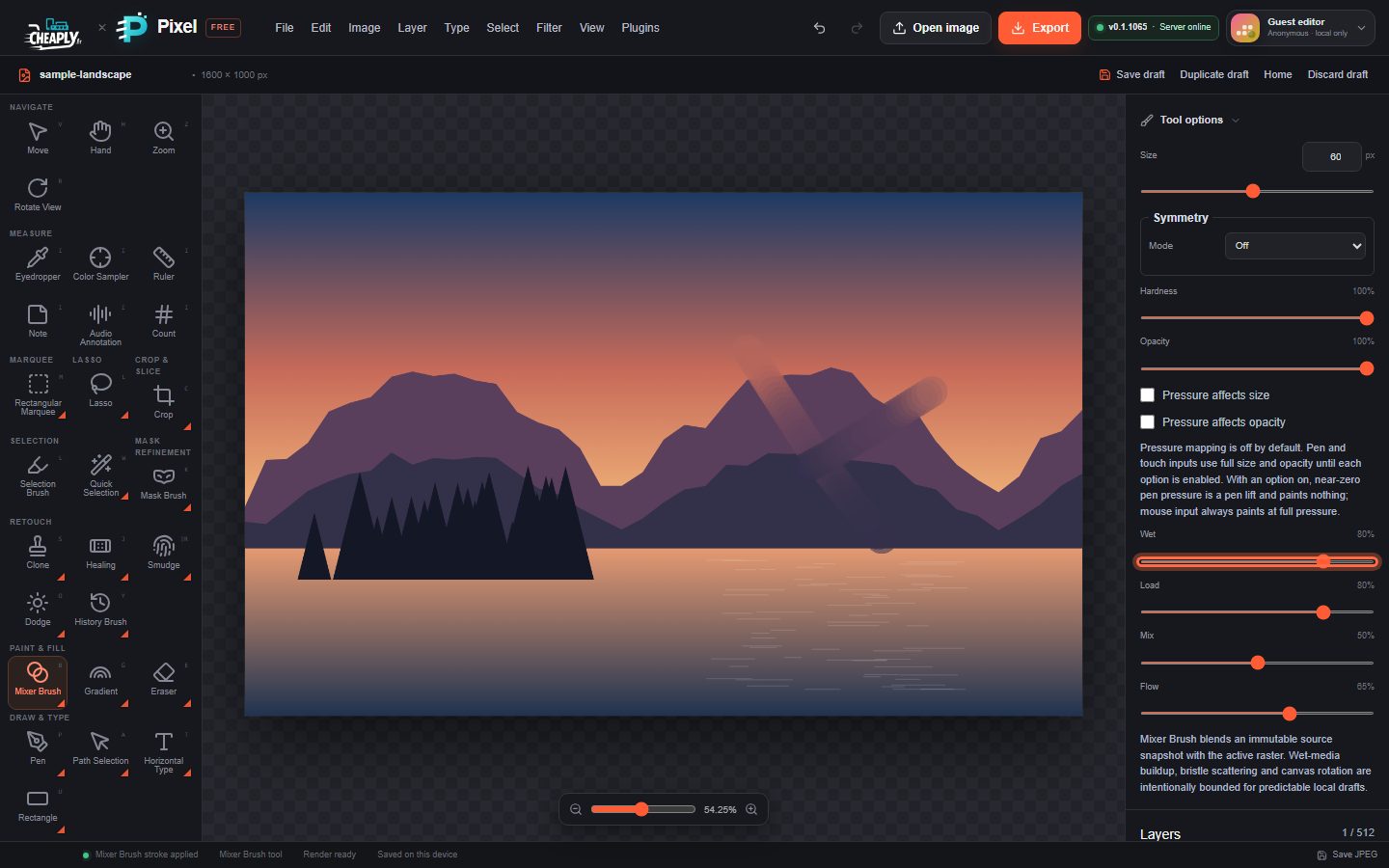
#Use the Mixer Brush
- Choose Mixer Brush from the Brush flyout, press B until it is selected, or choose Edit > Mixer Brush Tool.
- Select a pixel layer that already has colour on it. On an empty layer there is nothing to mix, and the editor shows "No Mixer Brush change".
- Set Size, Hardness and the mixing options below.
- Drag across the colours you want to blend.
#Options
| Option | What it does |
|---|---|
| Wet | How strongly the carried paint is laid down. Higher values give stronger, wetter smears. |
| Load | How long the brush keeps its paint. High Load carries the starting colour further; low Load lets the canvas colour take over quickly. |
| Mix | How much canvas colour the brush picks up at each dab. |
| Flow | How much paint each dab deposits. |
| Opacity | The overall strength of the stroke. |
Pressure affects size, Pressure affects opacity and Paint symmetry are also available. With symmetry, each copy picks up colour at its own position.
#Limits
The Mixer Brush is a bounded local approximation. It has no bristle simulation, no wet-paint build-up across strokes and no "clean brush" or "load brush" colour settings. For smearing with more control, try the Smudge tool.
Each stroke is one undo step. With an active selection, the stroke stays inside it.
Still stuck? See Troubleshooting or report a problem.