
Liquify
Twist, push or reshape the area around a point with Filter > Liquify…, an editable local warp that keeps your original pixels.
Filter > Liquify… reshapes a round area around a centre point: it can twist it, push it to one side, or enlarge it. It is a live filter, so you can move the centre or change the strength at any time, and the original pixels stay untouched.
Liquify in PixelForge works on one area at a time with sliders. It is not a brush: you cannot paint warps freely, and there are no face-aware controls. For a brush that drags pixels, use the Smudge tool; for pinning and bending shapes, see Perspective and Puppet Warp.
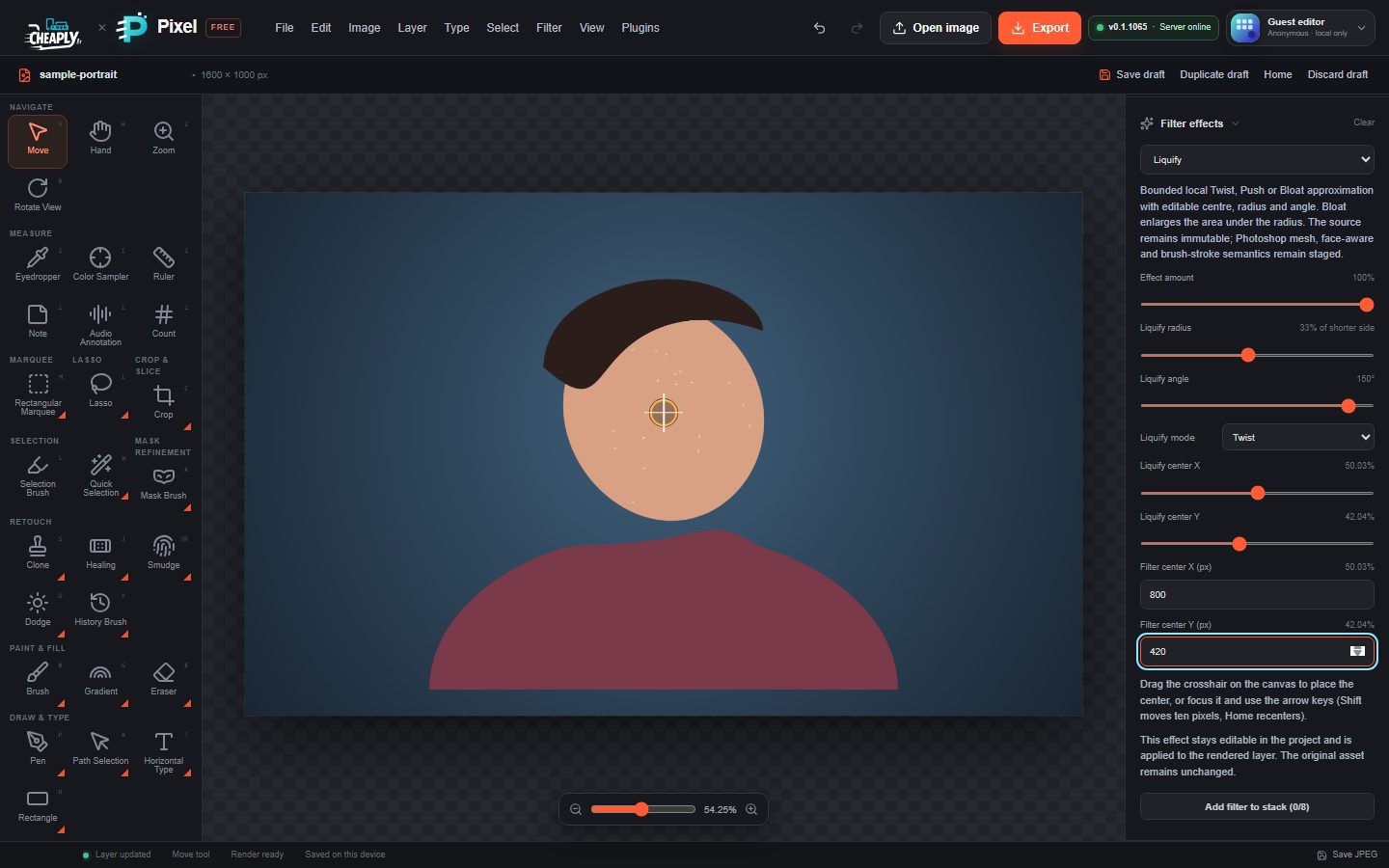
#Use Liquify
- Select a visible, unlocked layer.
- Choose Filter > Liquify….
- Open the Filters panel to see the settings in Filter effects.
- Choose a Liquify mode.
- Drag the crosshair on the canvas to the area you want to change, or type the exact position in Filter center X (px) and Filter center Y (px).
- Set Liquify radius to the size of the area, then adjust Effect amount and Liquify angle.
The change is strongest at the centre and fades to nothing at the edge of the area, so there are no hard seams.
#Options
| Option | Range | Default | What it does |
|---|---|---|---|
| Liquify mode | Twist, Push, Bloat | Twist | Twist rotates the area around the centre. Push shifts it in the direction of Liquify angle. Bloat enlarges the content under the radius without turning it, as if it swelled outwards from the centre. |
| Effect amount | 0–100 % | 70 % | Strength of the warp. |
| Liquify radius | 1–70 % of shorter side | 44 % | Radius of the affected circle, as a share of the layer's shorter side. |
| Liquify angle | −180° to 180° | 75° | Twist: how far and which way the area turns. Push: the direction of the push (0° pushes to the right, 90° downwards). Not used by Bloat. |
| Liquify center X / Liquify center Y | 0–100 % | 50 % | Position of the centre. |
Still stuck? See Troubleshooting or report a problem.