
Pixelate filters
Break a picture into cells, dots and grain with Mosaic, Crystallize, Facet, Fragment, Color Halftone, Mezzotint and Pointillize.
The Pixelate filters rebuild a picture from cells: squares, irregular crystals, triangles, printing dots or grain. They are live filters, so you can change the cell size later or remove the effect. Transparency is not changed. See Filters overview for the basics.
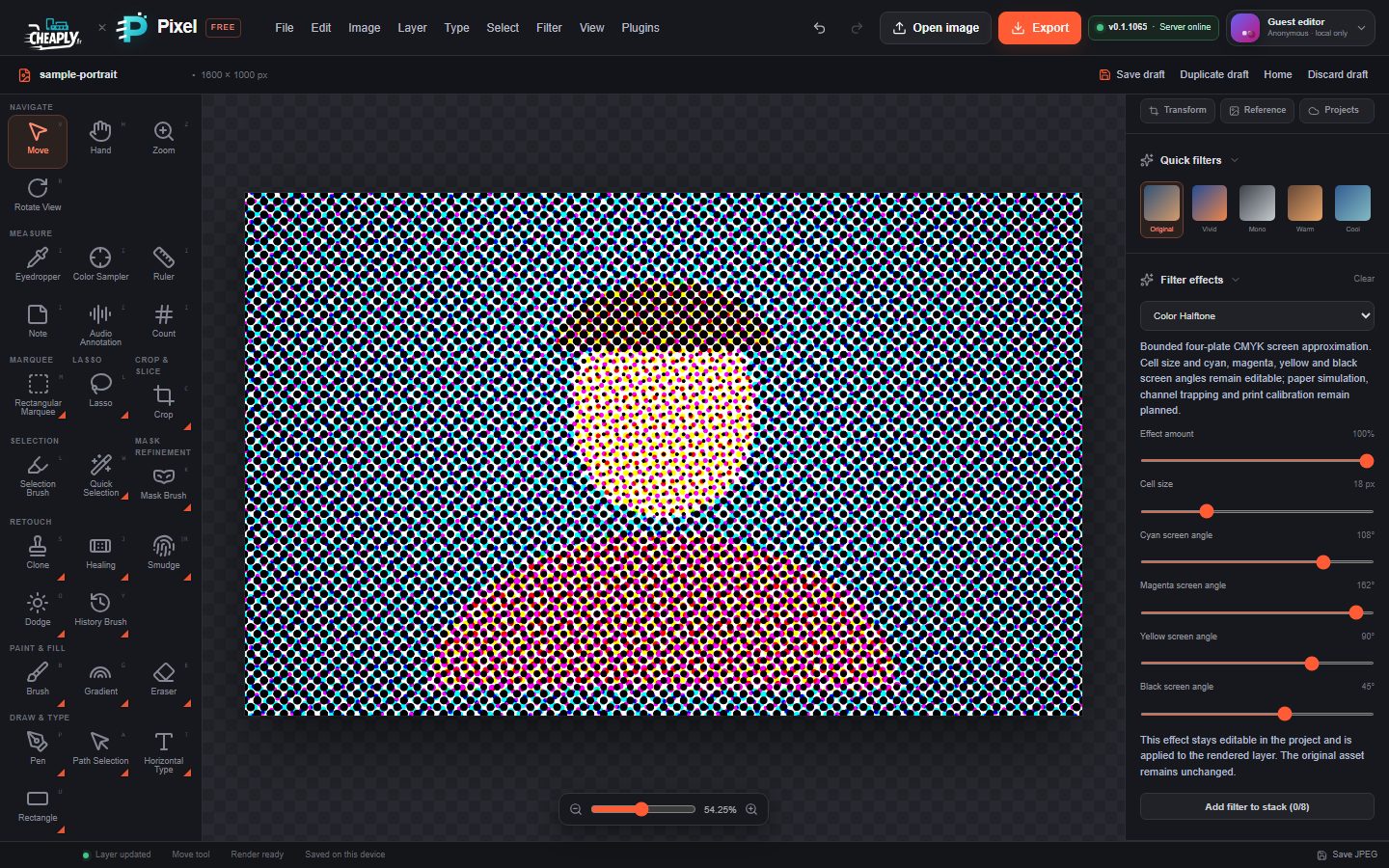
#Apply a pixelate filter
- Select a visible, unlocked layer. To pixelate only part of it (for example a face or a number plate), make a selection first.
- Choose a command from the Pixelate part of the Filter menu.
- Open the Filters panel and adjust Filter effects.
Each filter has Effect amount (0–100 %), which mixes the result with the original layer. For pixelation that must hide detail, set it to 100 %.
#The filters
#Mosaic
Splits the picture into squares and fills each with its average colour.
| Option | Range | Default | What it does |
|---|---|---|---|
| Cell size | 1–64 px | 10 px | Width of each square. Values below 2 behave like 2. |
| Effect amount | 0–100 % | 85 % | Mix with the original. |
#Crystallize
Splits the picture into irregular polygon-like cells, each in a single colour.
| Option | Range | Default | What it does |
|---|---|---|---|
| Cell size | 1–64 px | 10 px | Average size of the cells. Values below 2 behave like 2. |
| Effect amount | 0–100 % | 85 % | Mix with the original. |
#Facet
Splits the picture into small cells, each divided into four flat triangular facets.
| Option | Range | Default | What it does |
|---|---|---|---|
| Cell size | 1–64 px | 10 px | Size of the cells. Values below 2 behave like 2. |
| Effect amount | 0–100 % | 85 % | Mix with the original. |
#Fragment
Averages four copies of the picture shifted diagonally, giving a shaky, doubled look.
| Option | Range | Default | What it does |
|---|---|---|---|
| Fragment offset | 1–64 px | 1 px | How far the copies are shifted. |
| Effect amount | 0–100 % | 100 % | Mix with the original. |
#Color Halftone
Imitates printing with four screens of cyan, magenta, yellow and black dots, each at its own angle.
| Option | Range | Default | What it does |
|---|---|---|---|
| Cell size | 1–64 px | 10 px | Size of the dot grid. Values below 2 behave like 2. |
| Cyan screen angle | −180° to 180° | 108° | Angle of the cyan dots. |
| Magenta screen angle | −180° to 180° | 162° | Angle of the magenta dots. |
| Yellow screen angle | −180° to 180° | 90° | Angle of the yellow dots. |
| Black screen angle | −180° to 180° | 45° | Angle of the black dots. |
| Effect amount | 0–100 % | 85 % | Mix with the original. |
#Mezzotint
Turns the picture into black-and-white grain, like an old engraving.
| Option | Range | Default | What it does |
|---|---|---|---|
| Cell size | 1–64 px | 10 px | Size of the grain pattern. |
| Grain mode | Fine, Medium, Coarse | Medium | Character of the grain, from fine speckle to larger clumps. |
| Random seed | 0–4294967295 | 0 | Picks a different grain pattern. |
| Effect amount | 0–100 % | 85 % | Mix with the original. |
#Pointillize
Paints round dots on a regular grid, each in the colour at its centre, over the original picture.
| Option | Range | Default | What it does |
|---|---|---|---|
| Cell size | 1–64 px | 10 px | Spacing of the dots. |
| Effect amount | 0–100 % | 85 % | Size of the dots: at 100 % they fill their cells. |
#Limits
These are local approximations: the cell shapes are generated from a fixed pattern and there are no paper, colour or print-calibration controls.
Still stuck? See Troubleshooting or report a problem.