
Render filters
Generate clouds, fibers, flames, trees and frames with the Render filters, and find out which ones can draw on an empty layer.
The Render filters create new content from a random pattern: clouds, fibres, flames, a tree or a frame. Like other filters they stay live, so you can change the seed or the colours later. Each random pattern comes from a seed number (0–4294967295); the same seed always gives the same result, and a different seed gives a new variation. See Filters overview for the basics.
#Apply a render filter
- Select a visible, unlocked layer. To keep the effect separate, add a new empty layer first (see Add, duplicate and arrange layers).
- Make a selection if you want the result only inside it.
- Choose a command from the Render part of the Filter menu.
- Open the Filters panel and adjust Filter effects.
#Which filters draw on an empty layer
| Filter | On transparent pixels |
|---|---|
| Clouds | Fills them when Fill transparent pixels is on (the default). |
| Difference Clouds | Fills them: transparent pixels count as black, so an empty layer becomes the clouds. |
| Lens Flare, Light Rays | Fill them by default. See Lens Flare and Light Rays. |
| Tree, Flame, Fibers, Picture Frame | Draw only on pixels that already have content. Use them on a filled layer, or fill the layer first (see Fill a selection). |
#Clouds
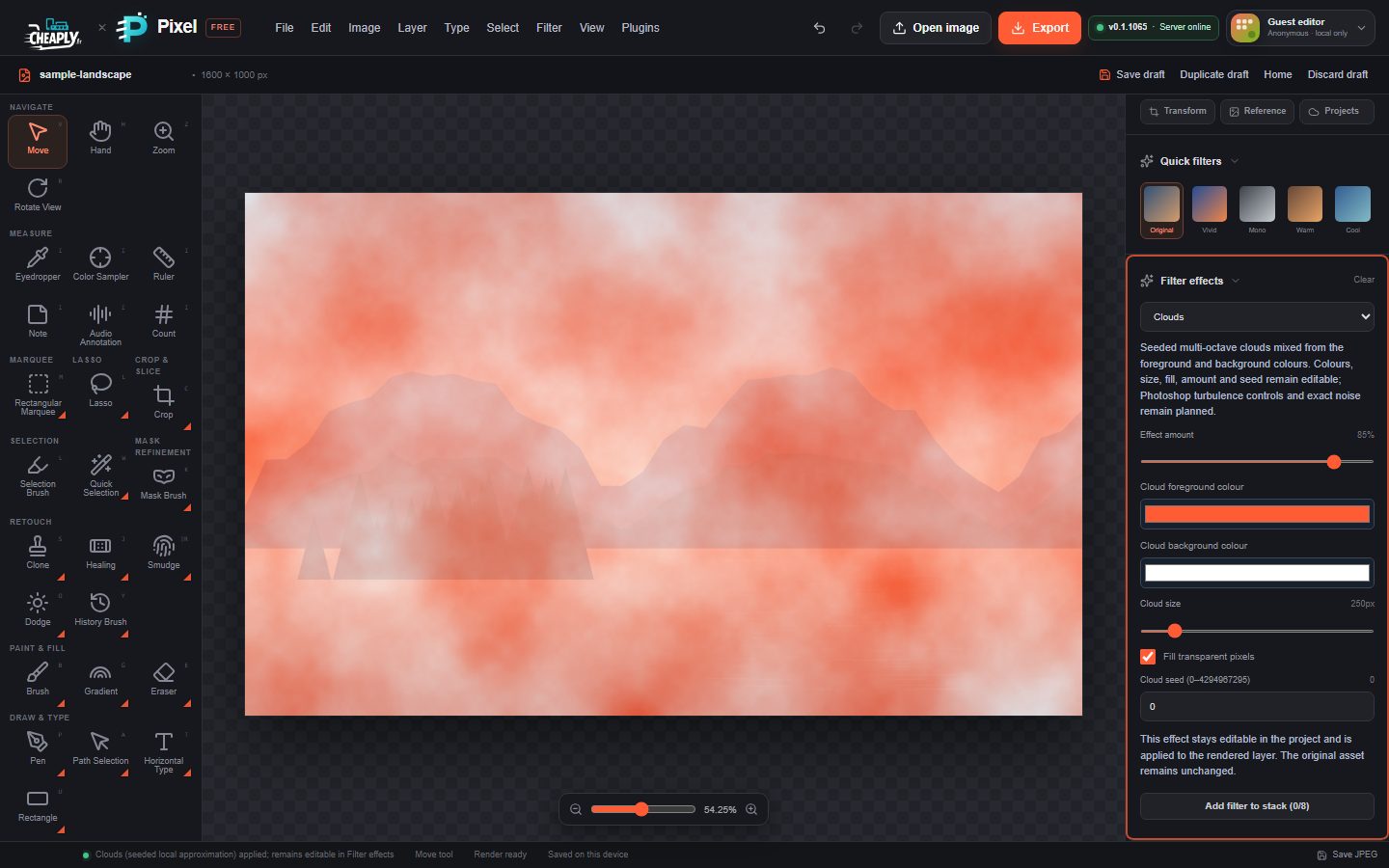
Soft, multi-layered clouds mixed from two colours. New clouds use your current foreground and background colours.
| Option | Range | What it does |
|---|---|---|
| Effect amount | 0–100 % (default 85 %) | How opaque the clouds are over the layer. |
| Cloud foreground colour / Cloud background colour | any colour | The two colours the clouds are mixed from. |
| Cloud size | 2–2048 px | Size of the cloud shapes. The starting size depends on the document size. |
| Fill transparent pixels | on/off | Also draw the clouds where the layer is empty. |
| Cloud seed | 0–4294967295 | Picks a different cloud pattern. |
#Difference Clouds
The same clouds in black and white, combined with the layer in Difference mode, so bright cloud areas invert the layer's colours. Apply it several times (stacking it, see Smart filters) to build marble-like veins.
| Option | Range | What it does |
|---|---|---|
| Effect amount | 0–100 % (default 85 %) | Strength of the effect. |
| Cloud size | 2–2048 px | Size of the cloud shapes. |
| Random seed | 0–4294967295 | Picks a different pattern. |
#Fibers
Thin vertical filaments blended into the layer, like paper or wood fibres. The colours come from a neutral tone, not from your foreground and background colours.
| Option | Range | What it does |
|---|---|---|
| Effect amount | 0–100 % (default 85 %) | Strength of the fibres. |
| Fiber scale | 1–64 px (default 10) | Size of the filaments. Values below 2 behave like 2. |
| Fiber variance | 1–64 (default 50) | How much the filaments vary. |
| Random seed | 0–4294967295 | Picks a different pattern. |
#Flame
A warm, flickering plume that rises from an origin point.
| Option | Range | What it does |
|---|---|---|
| Effect amount | 0–100 % (default 85 %) | Strength of the flame. |
| Flame detail | 1–64 px (default 16) | Size of the turbulence in the flame. Values below 2 behave like 2. |
| Flame origin X | 0–100 % | Horizontal position of the base. |
| Flame origin Y | 20–95 % | Vertical position of the base. |
| Random seed | 0–4294967295 | Picks a different flame. |
You can also drag the crosshair on the canvas to move the origin.
#Tree
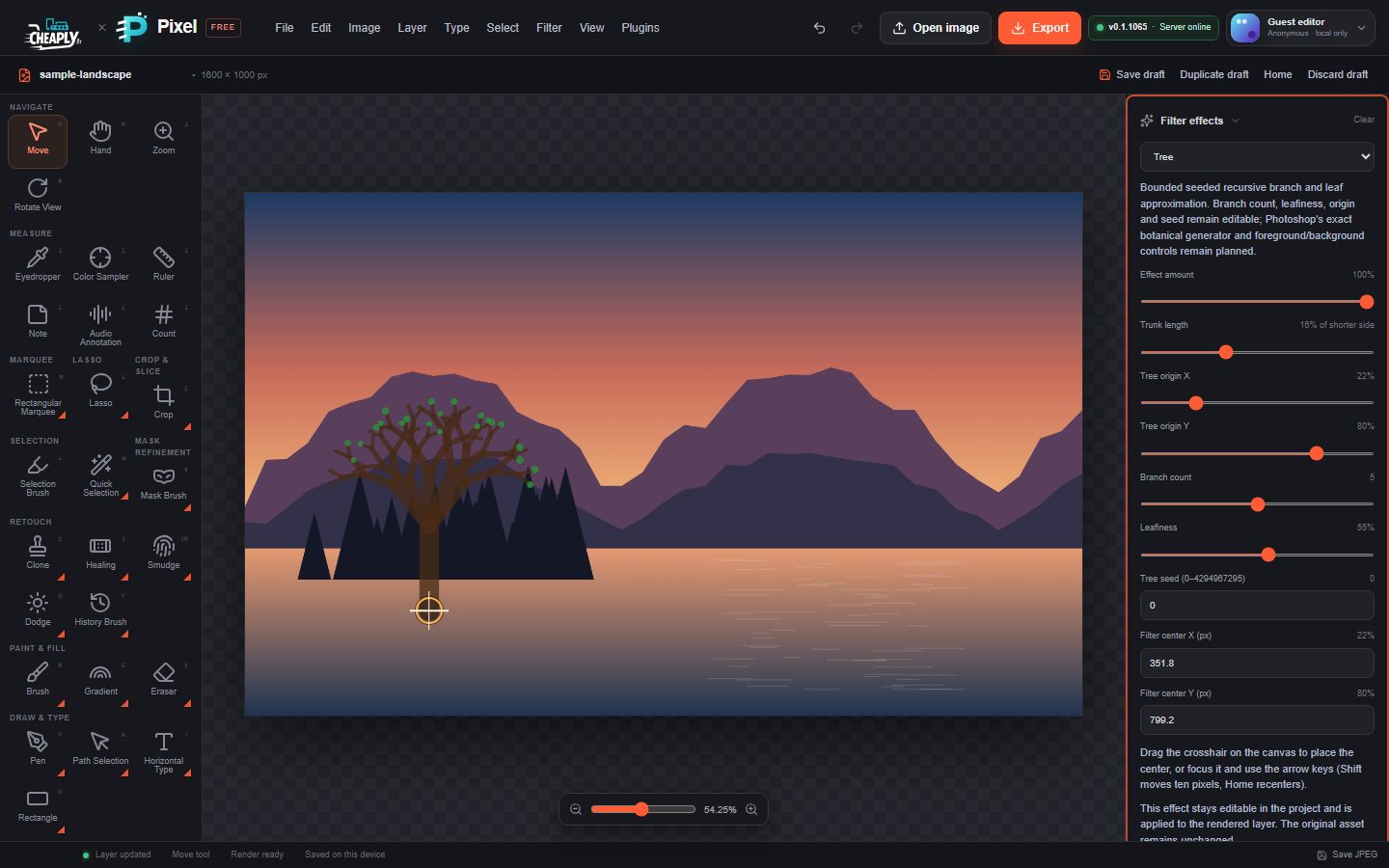
Draws a simple branching tree with round green leaves, growing up from an origin point.
| Option | Range | What it does |
|---|---|---|
| Effect amount | 0–100 % (default 70 %) | Opacity of the tree. |
| Tree origin X | 0–100 % | Horizontal position of the trunk. |
| Tree origin Y | 20–98 % | Where the trunk starts, measured from the top. |
| Trunk length | 3–40 % of shorter side (default 16 %) | Length of the trunk as a share of the layer's shorter side. The branches scale with it, so this sets the size of the whole tree. |
| Branch count | 2–8 (default 5) | Main branches growing from the top of the trunk; each then forks in two. |
| Leafiness | 0–100 % (default 55 %) | How many branch tips carry a leaf. |
| Tree seed | 0–4294967295 | Picks a different tree. |
#Picture Frame
Draws a frame with a bevelled inner edge just inside the layer's edges. The frame colour is chosen from the seed.
| Option | Range | What it does |
|---|---|---|
| Effect amount | 0–100 % (default 85 %) | Opacity of the frame. |
| Frame width | 1–64 px (default 12) | Thickness of the frame. |
| Random seed | 0–4294967295 | Picks a different frame colour. |
The frame is drawn inside the layer; the canvas does not grow. To frame outside the picture, enlarge the canvas first (see Image and canvas size).
#Limits
These are seeded local approximations. They do not offer turbulence controls, preset tree or frame styles, or wrap-around (seamless) tiling.
Still stuck? See Troubleshooting or report a problem.