
Exposure, vibrance and other adjustments
Use Exposure, Vibrance, Black and White, Blur and Sharpen and Noise in the Adjust selected layer panel.
Besides Levels, Curves, Hue/Saturation and Color Balance, the Adjust selected layer panel has a few more quick corrections. Like every adjustment they are stored with the layer and can be changed or reset later. Open the panel from More panels > Adjust in the properties sidebar.
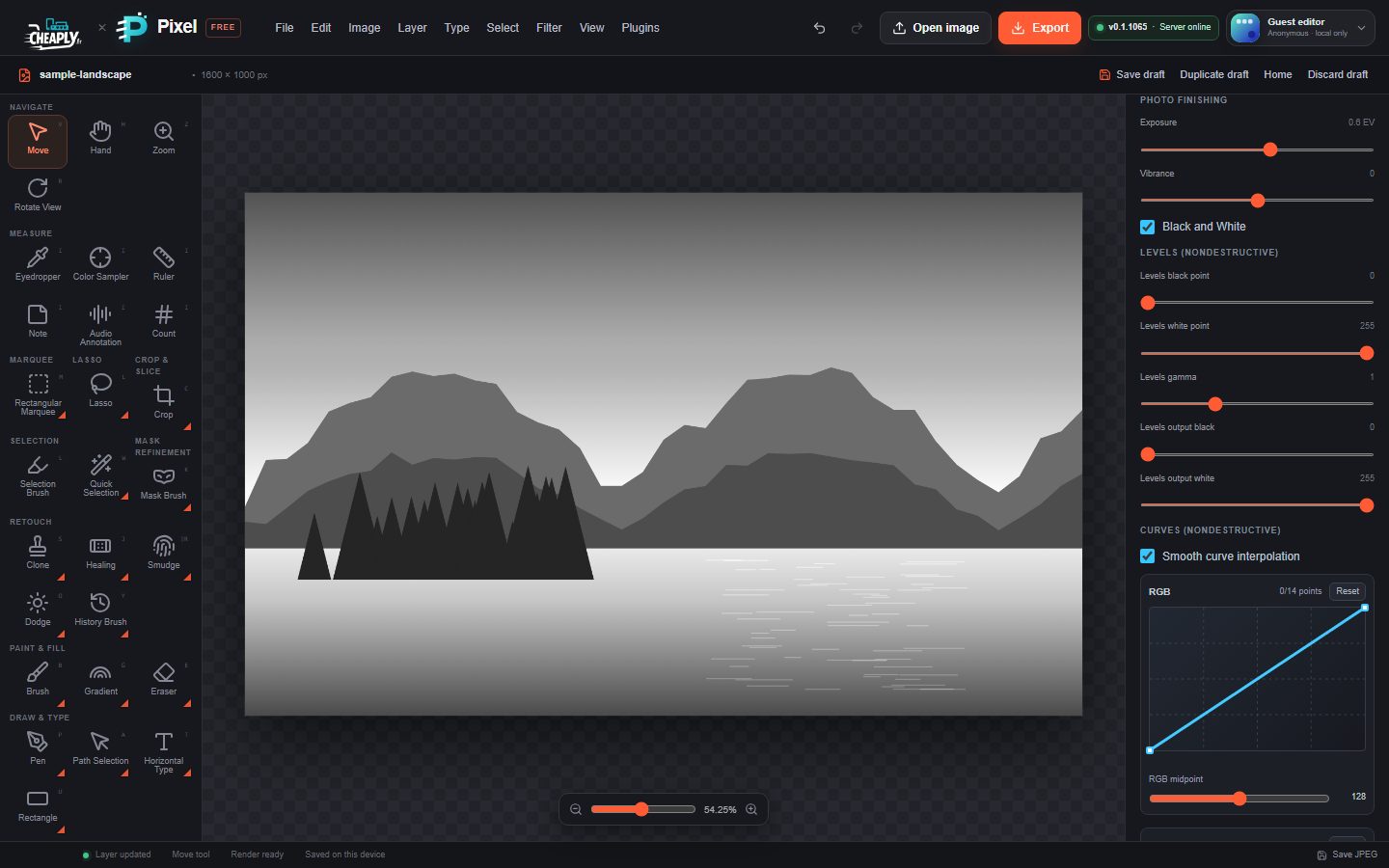
#Photo finishing
| Control | Range | What it does |
|---|---|---|
| Exposure | −5 to +5 EV | Brightens or darkens as if the camera had let in more or less light. Each 1 EV doubles or halves the brightness, so bright areas clip quickly at high values. |
| Vibrance | −100 to 100 | Raises saturation mostly in muted colours, leaving already vivid colours largely alone. Negative values fade colour evenly; −100 is fully grey. |
| Black and White | on/off | Converts the layer to greys based on each colour's brightness. |
#Brightness, Contrast and Blur
The first sliders in the panel are simple whole-layer controls:
| Control | Range | What it does |
|---|---|---|
| Brightness | 20–180% | Lightens or darkens everything. 100% is unchanged. |
| Contrast | 20–180% | Spreads or compresses the tones. 100% is unchanged. |
| Blur | 0–12 px | Softens the whole layer. For more blur types, use the blur filters. |
Saturation and Hue are described in Hue/Saturation and Color Balance.
#Sharpen and Noise
Choose Image > Adjustments and pick Sharpen and Noise…, or scroll to Sharpen and Noise in the panel.
| Control | Range | What it does |
|---|---|---|
| Sharpen amount | 0–100 | Strength of the sharpening. 0 is off. |
| Sharpen radius | 0–8 px | How wide the edges are that get sharpened. |
| Sharpen threshold | 0–255 | Skips small differences, so flat areas such as skin or sky are not sharpened. |
| Noise amount | 0–100 | Adds grain. 0 is off. |
| Noise seed | 0–10000 | Changes the random pattern of the grain. The same seed always gives the same grain. |
| Monochromatic noise | on/off | Uses grey grain instead of coloured grain. |
This noise is separate from Filter > Noise > Add Noise…, which has an exact Amount in % and a Uniform or Gaussian distribution. If you use both, their grain adds up.
Still stuck? See Troubleshooting or report a problem.