
Search commands
Find and run any menu command by typing part of its name with Edit > Search or Ctrl+F, without opening the menus.
Command search finds any command in the menus by name. It is the fastest way to reach a command when you don't remember which menu it lives in.
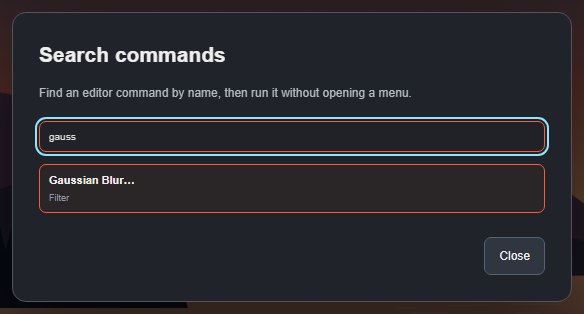
#Search and run a command
- Press Ctrl+F (⌘+F on Mac), or choose Edit > Search.
- Type part of the command's name, or the name of its menu, for example gauss, rotate or mask.
- Click a result to run it. The dialog closes and the command runs exactly as if you had chosen it from the menu.
Each result shows the menu it comes from and its shortcut, if it has one. Up to 30 results are listed, so type a few more letters if you don't see what you need.
#Unavailable commands
Results that cannot run right now are shown dimmed and cannot be clicked, for example Merge Layers with only one layer selected. Commands that are listed in the menus but not available yet are also shown dimmed. The rules are the same as in the menus.
#Close
Click Close or press Esc.
Still stuck? See Troubleshooting or report a problem.